Word Search Maker
Paste this week's word list and get a printable word search with an answer key, in a square or a fun shape, at the right level for your grade.
Advanced: title and letter case
Spelling words
12 words in a 12 × 12 square grid · Medium.
- BECAUSE
- FRIEND
- LITTLE
- PEOPLE
- SCHOOL
- AGAIN
- WATER
- ANIMAL
- ANSWER
- NUMBER
- DIFFERENT
- TOGETHER
Print puzzle A, puzzle B and answer keys
Four pages: the same words in two different grids so neighbours cannot copy, and an answer key for each.
Solve on a phone
Puzzle A opens on any phone or tablet: tap or drag across a word, a timer runs, and a finish card can be shared. The words stay in the link after the #.
Saved lists by week
Nothing saved yet. When you make, print or share a puzzle, the list is kept in this browser under the current school week, so next week starts from it.
Nothing leaves your device. The puzzle is made in your browser; word lists stay on this device and inside the solve link after the #, never on a server or in analytics.
How to make a word search
List, level, print: three steps, no sign-up, and the answer key comes with it.
- Paste your word list, one word per line (up to 30). The page opens with a sample spelling list, so a puzzle is already there.
- Pick the level and the shape: Easy (K–2) runs words right and down, Medium (3–5) adds diagonals, Hard (6+) adds backwards; square, heart, Christmas tree or star. Press Make puzzle for a new arrangement.
- Print puzzle A, puzzle B and both answer keys on A4 or Letter, or send the solve link: it opens on a phone with a timer and a finish card to share.
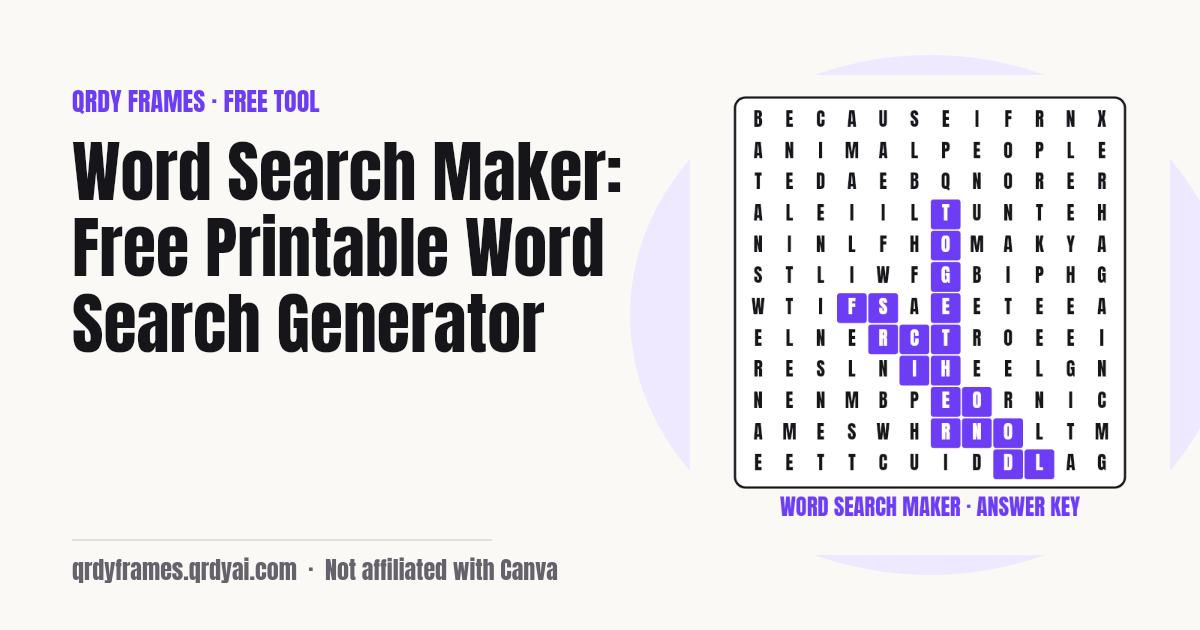
Three levels, matched to the grade
The level sets which directions words run and how big the grid starts. Easy, for kindergarten to grade 2, only hides words left to right and top to bottom in a 10 × 10 grid. Medium, for grades 3 to 5, adds the two forward diagonals in a 12 × 12 grid. Hard, for grade 6 and up, uses all eight directions, so words can also read backwards, in a 14 × 14 grid.
Long lists and long words make the grid bigger on their own. If a word still does not fit, the maker tries again with a bigger grid; only a word that cannot fit at all is named in a one-line note under the puzzle, so you never hand out a puzzle with a missing word.
Print A and B versions so neighbours cannot copy
Print gives you four pages: puzzle A, puzzle B, and an answer key for each. A and B hide the same words in different places, so two students side by side find the same list but cannot copy positions. Each sheet has a name and date line and the word list under the grid.
The paper size follows your browser's region (Letter in the US and Canada, A4 elsewhere) and switches with one tap. Letters print large and bold for young readers; nothing is drawn in light grey that a school printer would lose.
A new list every week, saved by week
When you make, print or share a puzzle, the list is saved in this browser under the current school week. Come back on Monday and the page says "This week's puzzle" with your last list loaded, ready for the new words.
Earlier weeks stay in a short list under the puzzle (the last 12), so you can reprint last week's puzzle for a student who was away. The lists never leave this device.
Solve on a phone or tablet
The solve link opens the same puzzle on any phone or tablet: tap the first and last letter of a word, or drag across it, and the word is crossed off. A timer starts on the first tap, and the last word shows a finish card such as "Found 15/15 in 2:41" to share as a picture.
The words travel only in the part of the link after the #, which browsers never send to a server; the page removes it from the address bar before analytics loads. Anyone who opens the link can make their own puzzle in one tap.
Christmas word search puzzles
For the last weeks before the break, the Christmas Word Search Maker has four ready lists (Christmas classics, easy words for K–2, winter fun and the Nativity) on a Christmas tree grid, each with puzzle A, puzzle B and answer keys.
Making a word wall or a class poster in Canva? Text to Frames, our Canva app, turns a word into a photo frame right inside the design.
Your word lists stay on your device
Nothing you type is uploaded: the puzzle is built in the page, the weekly lists live in this browser's local storage (only after you make, print or share), and the solve link carries the words after the #. Analytics only counts that a puzzle was made, the number of words as a range, the shape and the level, never a word.
Word search maker FAQ
How do I make a word search from my spelling list?
Paste the words into the box, one per line, pick a level and a shape, and press Make puzzle. Up to 30 words of 2 to 18 letters; spaces, hyphens and accents are removed (candy cane becomes CANDYCANE). Then print it or send the solve link.
Is this word search maker free?
Yes: no account, no sign-up, no watermark and no limit on puzzles. It is one of the free tools made by the team behind Qrdy Frames.
What do Easy, Medium and Hard change?
The directions and the grid size. Easy (K–2): right and down only. Medium (3–5): adds forward diagonals. Hard (6+): all eight directions including backwards, in a bigger grid.
Does it come with an answer key?
Yes. Show answers highlights every word on screen, and Print adds an answer key page for puzzle A and for puzzle B.
What are versions A and B?
Two puzzles with the same words in different places. Hand out A and B to neighbouring desks so students cannot copy positions; each version has its own answer key.
What if a word does not fit?
The maker grows the grid and tries again on its own. If a word still cannot fit (very long words in a small shape), a one-line note under the puzzle names it, so you can shorten it, remove a few words or switch to Square.
Can I make a heart or Christmas tree shaped word search?
Yes. Pick Heart, Christmas tree or Star and the letters fill that shape; words are only placed inside it. Square is best for long lists and long words.
Can students solve it on a phone or tablet?
Yes. Copy the solve link or share it: it opens the same puzzle on any phone with tap or drag to select, a timer, and a finish card to share. No app or account needed.
Are my word lists sent anywhere?
No. The puzzle is built in your browser. Weekly lists stay in this browser's storage, and the solve link keeps the words after the #, which is never sent to a server. Analytics only gets counts, the shape and the level.
More free tools for the classroom
Every tool on this site runs in the browser: nothing you paste, type or upload is sent anywhere.
- Christmas Word Search Maker ready Christmas word lists on a tree-shaped grid
- Bingo Card Generator bingo cards from the same vocabulary list
- Random Letter Generator letters and words for phonics games
- Classroom Timer a big countdown while the class searches
- Random Team Generator pairs or teams for a word search race
- Digital Advent Calendar Maker one puzzle a day behind 24 doors
- All free tools
About this site
Qrdy Frames previews custom photo frames for Canva designs; the free tools are a side project of the same team. Not affiliated with Canva.