Password Generator
Generate a strong random password, a memorable passphrase, a PIN or a developer secret (hex, Base64, UUID, API key, JWT secret) in one click. Everything is made on your device with the Web Crypto API; nothing is sent, stored or logged, and you can copy the matching openssl, Python or Node command for the same value on the command line.
Passphrases use the EFF large wordlist (7,776 words) by the Electronic Frontier Foundation, licensed CC BY 3.0. EFF wordlist · CC BY 3.0. Each word adds 12.9 bits.
The same thing on the command line
Nothing leaves your device. Values come from crypto.getRandomValues with rejection sampling; no account, no cookies needed, no value in the URL or in analytics. Share a preset by copying the page URL after changing the options.
How to use it
- Pick a tab: Password (default), Passphrase, PIN or Developer. A value is already generated when the page opens.
- Set the options: length or word count, character sets, exclusions, separator, format. The value, the entropy in bits and the time to crack update at once; Regenerate makes a new one and Generate 10 makes a list.
- Click Copy, or copy the openssl / Python / Node command shown under the Developer tab to make the same kind of value on a server.
How strong should a password be?
A password should have at least 70 bits of entropy for anything that matters, and a random 16-character mix of letters, digits and symbols or a 5-word passphrase gets you past 100 bits. Entropy counts how many equally likely passwords the generator could have produced; each extra bit doubles that number and so doubles the work of an attacker who has to try them all.
Length beats variety. Adding one character to a lowercase-only password multiplies the search space by 26; switching from letters to the full keyboard multiplies it by less than 4. A 12-character all-lowercase password (56 bits) is weaker than a 14-character one (66 bits), whatever symbols the shorter one uses.
The time-to-crack shown by this tool assumes an offline attack at 10 billion guesses per second, the speed of a few modern GPUs against a fast hash. Online logins are rate-limited and far slower, so a 50-bit PIN-protected account is fine, while a password that protects a backup file or a password-manager vault should be 100 bits or more.
| Character set | 8 chars | 12 chars | 16 chars | 20 chars |
|---|---|---|---|---|
| Digits only (0–9), 10 symbols | 27 bits | 40 bits | 53 bits | 66 bits |
| Lowercase letters (a–z), 26 symbols | 38 bits | 56 bits | 75 bits | 94 bits |
| Letters, both cases (a–z, A–Z), 52 symbols | 46 bits | 68 bits | 91 bits | 114 bits |
| Letters and digits, 62 symbols | 48 bits | 71 bits | 95 bits | 119 bits |
| Letters, digits and symbols, 95 symbols | 53 bits | 79 bits | 105 bits | 131 bits |
Bits = length × log2(character set size). Weak under 50 bits, fair 50–70, strong 70–100, very strong above 100.
Password vs passphrase: which should you use?
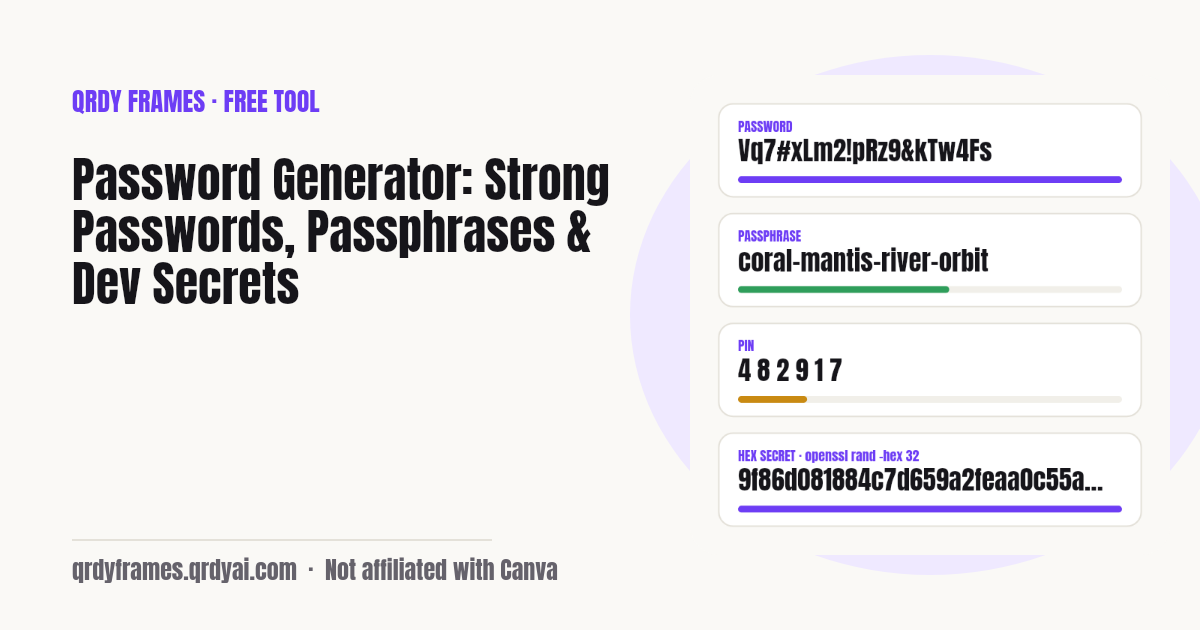
Use a random password when a password manager types it for you, and a passphrase when you have to remember or read it out. A 20-character random password like Vq7#xLm2!pRz9&kTw4Fs has about 130 bits and is impossible to memorise; a 5-word passphrase like coral-mantis-river-orbit-velvet has 65 bits, is easy to type on a phone and easy to say over the phone.
Passphrases get their strength from the wordlist, not from clever spelling. This tool draws from the EFF large wordlist of 7,776 common words, so every word adds 12.9 bits: 4 words give 52 bits, 6 words give 78 bits, 8 words give 103 bits. Capitalising words or adding one digit adds only a few bits; adding a word adds 12.9.
Good uses for a passphrase: the master password of your password manager, a laptop or disk-encryption password, a Wi-Fi password you share with guests. Good uses for a random password: every website login, because the manager fills it and you never see it.
Passphrases use the EFF large wordlist (7,776 words) by the Electronic Frontier Foundation, licensed CC BY 3.0. About the list.
Generate random strings and secrets on the command line
On any Mac or Linux machine, openssl rand, Python's secrets module, Node's crypto module and /dev/urandom all give cryptographically secure random strings; the lines below print the same kinds of value as the Developer tab above. Each reads the operating system's random source, so the output is as strong as the number of bytes you ask for: 32 bytes is 256 bits, enough for any API key, session secret or JWT signing key.
32 random bytes as 64 hex characters (a typical secret key or JWT secret)
openssl rand -hex 32Prints: e.g. 9f86d081884c7d659a2feaa0c55ad015a3bf4f1b2b0b822cd15d6c15b0f00a08
32 random bytes as Base64 (44 characters, may end in =)
openssl rand -base64 32Prints: e.g. n4bQgYhMfWWaL+qgxVrQFaO/TxsrC4Is0V1sFbDwCgg=
Base64url: safe in URLs, headers and .env files, no padding
openssl rand -base64 32 | tr '+/' '-_' | tr -d '='Prints: e.g. n4bQgYhMfWWaL-qgxVrQFaO_TxsrC4Is0V1sFbDwCgg
Python: a 43-character URL-safe token from 32 bytes
python3 -c "import secrets; print(secrets.token_urlsafe(32))"Prints: e.g. Drmhze6EPcv0fN_81Bj-nA-Dq6-Z1vK9zd0oZ3yxW8M
Python: 32 bytes as hex
python3 -c "import secrets; print(secrets.token_hex(32))"Prints: e.g. 2b7e151628aed2a6abf7158809cf4f3c762e7160f38b4da56a784d9045190cfe
Node.js: 32 random bytes as hex
node -e "console.log(require('crypto').randomBytes(32).toString('hex'))"Prints: e.g. 7d793037a0760186574b0282f2f435e7dd8b4f3c1a2b0c9e8f7a6b5c4d3e2f10
Node.js: a 64-byte JWT secret in Base64url
node -e "console.log(require('crypto').randomBytes(64).toString('base64url'))"Prints: 86 characters of A–Z a–z 0–9 - _
A 32-character random string of letters and digits straight from the kernel
LC_ALL=C tr -dc 'A-Za-z0-9' </dev/urandom | head -c 32; echoPrints: e.g. Xk3mP9qLw2RtY7vB4nZc8HjF1dGsA6eU
An API key with a prefix, 32 random characters after it
echo "sk_live_$(LC_ALL=C tr -dc 'A-Za-z0-9' </dev/urandom | head -c 32)"Prints: e.g. sk_live_Xk3mP9qLw2RtY7vB4nZc8HjF1dGsA6eU
A version 4 UUID (122 random bits)
uuidgenPrints: e.g. 3f2504e0-4f89-41d3-9a0c-0305e82c3301 (Linux without uuidgen: cat /proc/sys/kernel/random/uuid)
Pick the encoding by where the value goes: hex for config files and anything that must survive copy-paste, Base64url for HTTP headers, URLs and .env files, a prefixed alphanumeric key when people need to recognise it in logs (the sk_live_ style), and a UUID when a system expects that exact shape. For a JWT secret, HS256 needs at least 32 bytes and 64 bytes is the common choice.
Want the value right now without a terminal? Open the Developer tab with hex, 32 bytes or a 64-byte JWT secret.
Is this password generator safe?
Yes: every value is generated on your own device by the browser's Web Crypto API (crypto.getRandomValues), and nothing is sent to a server, stored, or logged. The page is static HTML and JavaScript; the only network requests are for the page itself and, when you open the Passphrase tab, the public EFF wordlist. The analytics on this site record which tab and length were used, never the value.
The generator never uses Math.random, which is not designed for secrets. Every character, word and digit is picked by rejection sampling, so no symbol is more likely than another (the usual modulo bias of random-number % alphabet-size is avoided). You can read the source in your browser's developer tools: there is no request on Copy or Generate.
Still, treat anything shown on a screen as something to protect: close the tab when you are done, do not paste passwords into chat, and keep them in a password manager rather than a note.
Password generator FAQ
Is this password generator free?
Yes. There is no account, no limit and no premium tier. Generate as many passwords, passphrases, PINs and secrets as you like.
Is it safe to use an online password generator?
This one runs entirely in your browser with the Web Crypto API; the values are never sent to a server, stored or logged, and there is no network request when you generate or copy. You can check this in your browser's network tab. Avoid generators that send the value to a server or that use Math.random.
How long should a password be?
At least 16 random characters from letters, digits and symbols, which is about 105 bits of entropy. The default here is 20 characters (about 130 bits). For a PIN or anything you must type by hand, use a passphrase instead of a short password.
What is a good passphrase length?
Five words from the EFF large wordlist give about 65 bits, which is good for an everyday login that is also rate-limited; six words (78 bits) suit a laptop or Wi-Fi password; eight words (103 bits) are right for a password-manager master password or disk encryption.
How do I generate a JWT secret?
Pick JWT secret in the Developer tab, which gives 64 random bytes as Base64url (86 characters), or run openssl rand -base64 64 | tr '+/' '-_' | tr -d '=' or node -e "console.log(require('crypto').randomBytes(64).toString('base64url'))". HS256 needs at least 32 bytes; 64 is the usual choice. Store it in an environment variable, not in the code.
What does openssl rand -hex 32 do?
It asks OpenSSL for 32 cryptographically secure random bytes and prints them as 64 hexadecimal characters (0–9, a–f). That is 256 bits of entropy, a common size for API keys, session secrets and encryption keys. Change 32 to get more or fewer bytes; use -base64 instead of -hex for a shorter Base64 string.
What is the difference between Base64 and Base64url?
Both encode bytes as text, but Base64 uses + and / and pads with =, which break in URLs, file names and some headers. Base64url swaps them for - and _ and drops the padding, so it is the safer default for tokens and .env files. The two decode to the same bytes.
Should I use a password manager?
Yes. A password manager lets you use a different random password for every site, fills it for you and warns you about reused or leaked ones. Use this generator for the few passwords you must remember or type, such as the manager's master passphrase, and let the manager generate the rest.
More free tools
The other free tools on this site put a photo inside a shape and download a transparent PNG, in the browser like this one.
- Bulk QR Code Generator hundreds of QR codes from a list or CSV
- Random Team Generator split names into fair random teams
- Christmas Ornament Photo Maker
- Circle Crop Image
- Heart Photo Frame
- All free tools
About this site
Qrdy Frames previews custom photo frames for Canva designs; the free tools are a side project of the same team. Not affiliated with Canva.