Bulk QR Code Generator
Make many QR codes at once: paste a list (one per line) or upload a CSV exported from Excel or Google Sheets, pick the type (URL, text, Wi-Fi, email, SMS, phone or vCard), set size, colours and an optional logo or label, then download every code as PNG or SVG in a single ZIP or print them on an A4 or Letter sheet. Everything runs on your device; the list and the codes never leave the browser.
1 Input
One item per line. For Wi-Fi, Email, SMS and vCard, separate the fields with commas or tabs in the order shown in step 2. Add a label in an extra column to print it under the code and use it as the file name.
2 Type
Tip: links change. Dynamic QR codes let you edit the destination after printing. Learn about dynamic QR codes
3 valid rows
3 Style & export
QR encoding uses the QR Code generator library by Project Nayuki (MIT License), bundled with this page; the ZIP is written in the browser. Project Nayuki.
Nothing leaves your device. The list, the file, the logo and every code stay in the browser; no account, no watermark, nothing in the URL or in analytics. Static codes only: to edit a link after printing, use Qrdy Dynamic QR.
How to make bulk QR codes from Excel
Export the sheet as CSV, upload it here, pick the content column, download the ZIP: three steps and no add-in, macro or account.
- Export your sheet as CSV (Excel: File › Save As › CSV UTF-8; Google Sheets: File › Download › Comma-separated values) with one row per code, or just paste the list, one item per line.
- Upload the CSV or paste the list, pick the type (URL by default) and choose which column holds the content and, optionally, which one holds the label or file name. Bad rows are flagged with their row number, never dropped silently.
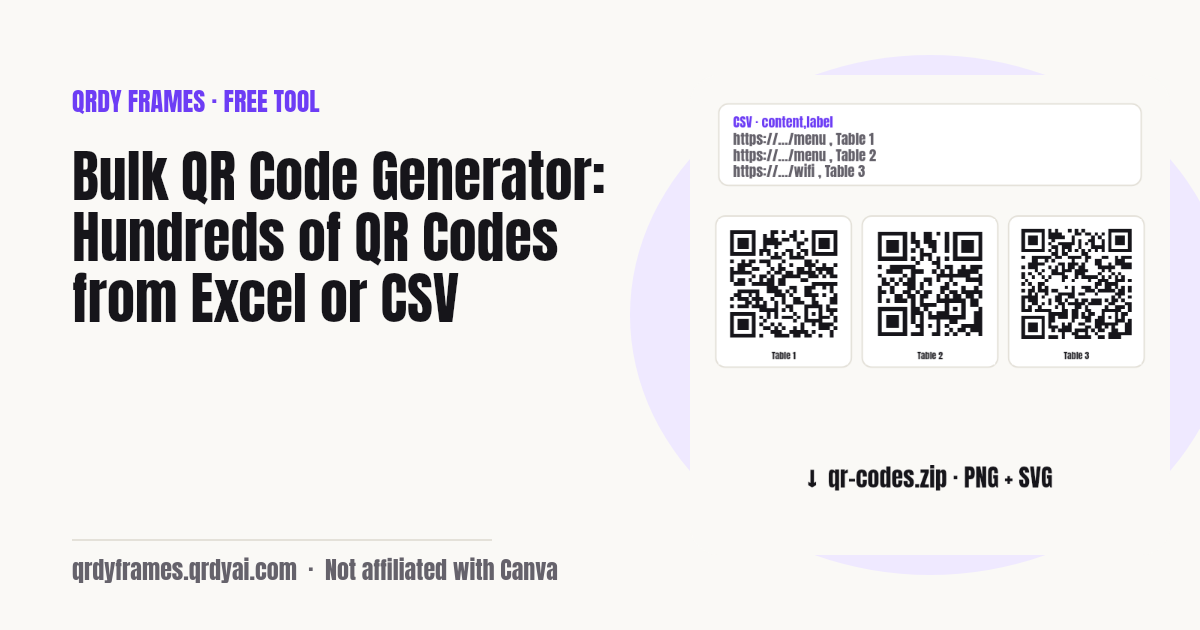
- Set size, colours, error correction, logo and label, then click Generate and Download ZIP. Every code is a PNG and/or SVG named by row, label or content. Or open the print sheet and print the batch on A4 or Letter.
Try it with the sample CSV (two columns: content,label). Excel, Numbers and LibreOffice open and save the same format.
Common uses for a batch of QR codes
Bulk QR codes are for anything that needs one code per row of a sheet: tables, tickets, products, worksheets, listings.
- Restaurant table menus and Wi-Fi: one code per table that opens the menu or joins the guest network, with the table number printed under it.
- Event tickets and badges: a unique check-in link or attendee ID per row, exported from the registration sheet.
- Product labels and inventory: a code per SKU, shelf or asset that opens its page or holds the plain-text ID for a scanner.
- Classroom handouts: a code per worksheet, video or quiz so students reach the right page without typing.
- Real-estate signs and flyers: a code per listing that opens the virtual tour or the contact card of the agent.
Static vs dynamic QR codes
A static QR code stores the content itself, so it works forever and needs no service, but it cannot be changed once printed; a dynamic QR code stores a short redirect link, so you can change where it points and count scans after printing. Every code this tool makes is static: the URL, text, Wi-Fi password or contact card is encoded directly in the pattern.
Use static codes for things that never change: a Wi-Fi password, a phone number, a product ID, a vCard. Use dynamic codes when the destination may change or when you want to know how many people scanned each one: menus, campaigns, event pages, signs that stay up for months.
| Static QR code (this tool) | Dynamic QR code (Qrdy Dynamic QR) | |
|---|---|---|
| Editable after printing | No. The content is in the pattern. | Yes. Change the destination anytime. |
| Scan analytics | None. | Scans by code, day, city and device. |
| Works forever | Yes, with nothing to renew. | As long as the redirect service runs. |
| Code density | Grows with the content; long URLs make dense codes. | Short link, so the code stays small and easy to scan. |
| Cost | Free. | Affordable plans; see the pricing page. |
Printing tips for QR codes
Print each QR code at least 2 × 2 cm (0.8 × 0.8 in) for a short URL scanned from arm's length, and larger for long content or codes read from a distance: a good rule is scan distance divided by 10.
- Keep the quiet zone: the light margin around the code (4 modules by default here) is part of the symbol. Do not crop it or place text inside it.
- Contrast: dark modules on a light background. Keep the ratio above 4:1 and avoid light-on-dark, which many phone cameras cannot read.
- Error correction: M (15 %) suits most prints; use Q or H when the code gets a logo, is printed small, or may be scratched or dirty. Higher levels make the code denser.
- Test-scan one printed code with two different phones before printing the whole batch, and check that the label under it matches the row it came from.
- For long URLs, consider a dynamic QR code: the short redirect link gives a sparser code that scans faster at the same size.
Is my list uploaded?
No. The list, the CSV file, the logo and every generated code stay in your browser: the page is static HTML and JavaScript, the QR codes are drawn on a canvas on your device, and the ZIP is assembled in memory and saved by your browser. There is no upload endpoint and the analytics on this site record only the type, the count bucket and the format, never a URL, a name or a file name.
You can verify this in your browser's network tab: generating and downloading make no request. Close the tab and everything is gone.
Bulk QR code generator FAQ
Is this bulk QR code generator free?
Yes. There is no account, no watermark and no premium tier. Generate up to 2,000 codes per batch, as many batches as you like.
Is there a limit on how many QR codes I can make?
Each batch is capped at 2,000 rows so the browser stays responsive; a 1,000-row list takes well under a minute on a laptop. Split a bigger sheet into several CSV files and run them one after another.
Do the QR codes expire?
No. Static QR codes never expire because the content is encoded in the pattern itself; nothing is hosted, so there is nothing to renew. The code keeps working as long as what it points to (your website, your Wi-Fi network) exists.
Can I change the link after printing?
No, not with a static code: the URL is part of the pattern. If you need to edit the destination later or count scans, make the codes with a dynamic QR service such as Qrdy Dynamic QR, which encodes a short redirect link you can change anytime.
Can I add a logo to the QR codes?
Yes. Upload a PNG, JPG or SVG logo and it is placed in the centre of every code at up to 20 % of its width. The tool switches the error correction to level H (30 %) so the covered modules can be recovered. Test-scan one code before printing the batch.
Is my data uploaded anywhere?
No. The list, the CSV, the logo and the generated codes never leave your browser. The codes are drawn on your device and the ZIP is built in memory; there is no server and no request when you generate or download.
How do I make QR codes from Google Sheets?
In Google Sheets choose File › Download › Comma-separated values (.csv), then upload that file here. Put the content (URL, text, phone number…) in one column and an optional label in another; the tool shows the first rows so you can pick the right columns.
How do I make QR codes from an Excel file?
Save the sheet as CSV (File › Save As › CSV UTF-8) and upload it. The tool reads .csv and .tsv directly; .xlsx files are not parsed in the browser, so the export step is needed. The column order does not matter, you choose the content and label columns after upload.
PNG or SVG: which should I download?
PNG for anything you place in a document, a label template or a web page (choose 1024 px or more for print). SVG for design tools and print shops: it scales to any size without blur. Pick Both to get both files for every row.
More free tools
Every tool on this site runs in the browser: nothing you paste, type or upload is sent anywhere.
- Password Generator for the Wi-Fi passwords you are about to print
- Random Team Generator split the same class list into random teams
- Christmas Ornament Photo Maker
- Circle Crop Image
- Heart Photo Frame
- All free tools
About this site
Qrdy Frames previews custom photo frames for Canva designs; the free tools are a side project of the same team, which also makes Qrdy Dynamic QR. Not affiliated with Canva.