Random Team Generator
Paste a list of names, choose how many teams you want or how many people per team, and get fair random groups in one click. Made for people who do this every week: your class lists are saved in this browser, past splits are remembered so the same pairs do not land together again, and a present mode reveals the teams one by one on a projector. Nothing is uploaded.
Saved lists0 / 20
No saved lists yet. Save this one to reload it in one tap next time and to avoid repeat teammates.
Names12 names
One name per line, or separated by commas. Up to 200 names.
Split options
Advanced: keep together / keep apart
Keep together
Names in one group always land in the same team.
Keep apart
Names in one group never share a team.
Nothing leaves your device. Names are shuffled with crypto.getRandomValues (Fisher–Yates, no modulo bias), saved lists live in this browser only, and no name, list title or file name goes in the URL or in analytics.
How to split a list into random teams
Paste the names, choose the number of teams or the team size, click Make teams: three steps, no sign-up.
- Paste your names in the box, one per line (commas work too), or upload a CSV whose first column holds the names. The counter shows how many names you have; duplicates are flagged.
- Pick Number of teams or People per team and set the number, then choose what happens with leftovers, whether each team gets a captain, and a team-name set (Colors, Animals, Planets). Open Advanced to keep certain names together or apart.
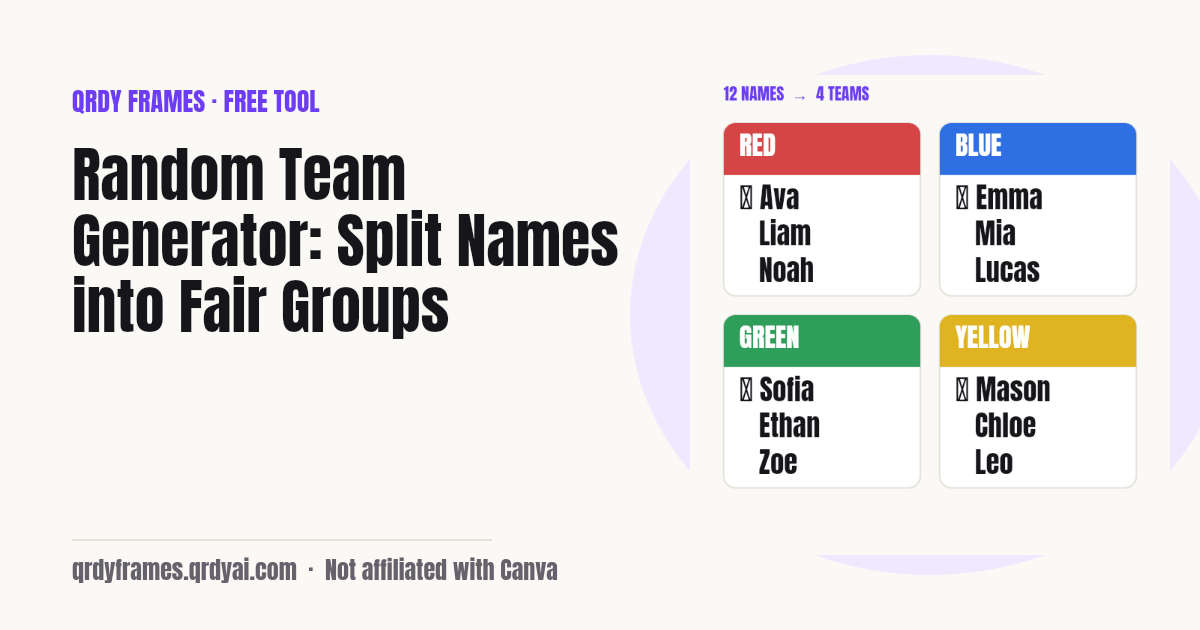
- Click Make teams. Reshuffle until it looks right, then copy the teams as text, download them as one PNG, print them, or open Present mode to reveal them one by one on the projector. Save the list to reuse it next week.
Ideas for the classroom and team building
A random group generator is for any moment when "pick your own group" would be slower or less fair: group projects, PE teams, workshop breakouts, icebreakers, game nights.
- Group projects: Split a class of 24 into six groups of four with a captain who reports back.
- PE and sports: Two or four even teams from the attendance list, new captains every lesson.
- Workshop breakouts: Groups of five for a discussion round, keeping the two colleagues who always sit together apart.
- Icebreakers: Pairs or trios of people who have not met: load last week's list and turn on Avoid repeating past teammates.
- Game night: Random teams for trivia or board games, with Planets or Animals as team names.
- Hackathons and study groups: Mix skill levels by keeping the strongest members apart so every team has one.
Teaching from Canva slides? Spin Wheel Maker puts a clickable spin wheel in the design, so you can pick the next presenter or team live: try Spin Wheel Maker in Canva.
How to make teams fair
Fair teams are even in size, picked by a random process nobody can steer, and different from last time. This tool handles the first two automatically: sizes differ by at most one person unless you ask for a smaller last team, and every shuffle comes from the browser's cryptographic random generator rather than a hand-picked order.
Captains spread responsibility: with Pick a captain on, each team's first drawn member gets a star, so the role rotates at random instead of landing on the same volunteer. Keep apart stops two people who dominate or distract each other from sharing a team, and Keep together lets a pair who need each other (a buddy system, a shared laptop) stay in one group without you placing them by hand.
Avoid repeating past teammates is what makes week two fair as well. When a saved list has history, the tool runs forty shuffles and keeps the one with the fewest pairs that were already together, and tells you the count, so over a term everyone works with everyone.
Where do the names go?
Nowhere: the names stay in your browser. The split happens on your device, saved lists live in this browser's local storage under a single key, and the only things the analytics record are counts and settings such as the number of names (as a range) and the mode. No name, list title or file name is ever sent.
Because the data is local, it does not follow you to another device or browser, and clearing site data removes it. Download the PNG or copy the text if you need a record elsewhere.
Random team generator FAQ
Is the random team generator really random?
Yes. Names are shuffled with the Fisher–Yates algorithm driven by the browser's cryptographic random generator (crypto.getRandomValues) with rejection sampling, so every arrangement is equally likely and no position is favoured. Math.random is not used.
Is it free?
Yes, completely: no account, no sign-up, no limit on how often you use it, no watermark on the PNG. It is one of the free tools made by the team behind Qrdy Frames.
How many names can I enter?
Up to 200 names per list, pasted one per line or uploaded as a CSV (first column). You can make between 2 and 20 teams, or teams of 2 to 20 people.
Are my lists saved or uploaded?
Saved only in this browser. "Save this list" keeps up to 20 lists in local storage on your device; nothing is uploaded to a server and the names are never included in analytics. Use another browser or device and the lists are not there. If your browser blocks storage, the tool still works but cannot save.
Can I stop two people being on the same team?
Yes. Open Advanced, add a Keep apart group and pick the names; they will never share a team. Keep together does the opposite. If a rule cannot be met (for example five people kept apart but only four teams), the tool tells you which rule failed instead of ignoring it.
How do I avoid the same groups every week?
Save the list. Each saved list remembers its last 10 splits, and with Avoid repeating past teammates on (the default once there is history) the generator tries forty shuffles and keeps the one with the fewest pairs who were already together. The result shows the number of repeated pairs so you can see it worked. Clear history resets it.
Can I show the teams on a projector?
Yes. Present mode fills the screen with a dark background and large type and reveals one team at a time when you press Space or click; captains are highlighted and Escape exits. You can also download all teams as one PNG or print them.
More free tools
Every tool on this site runs in the browser: nothing you paste, type or upload is sent anywhere.
- Yes or No Wheel spin for a yes or no, with history and best of 3
- Password Generator strong passwords, passphrases and PINs
- Bulk QR Code Generator one QR code per row of a class list or sheet
- Christmas Ornament Photo Maker
- Circle Crop Image
- Heart Photo Frame
- All free tools
About this site
Qrdy Frames previews custom photo frames for Canva designs; the free tools are a side project of the same team, which also makes Spin Wheel Maker. Not affiliated with Canva.