Digital Advent Calendar Maker
Write 24 little messages, send the calendar as one link, and each door opens only on its day from December 1 to 24.
Preview
Tap a door to open it.
Classroom: projector and print
Projector view: big doors, today highlighted, one tap to open. Print: a page of 24 doors plus a message sheet to cut and paste.
Nothing leaves your device. Your messages live in this page, in this browser and inside the link after the #; they never go to a server or to analytics.
How to make a digital advent calendar
Pick a pack, change what you like, send one link: three steps, no sign-up, nothing to install.
- Pick a starter pack (Kindness (classroom), Family activities, Love notes, Jokes for kids): all 24 doors fill at once. Tap any door to change its message (up to 140 characters) or its emoji, and set the title and the "from" line.
- Press Get my calendar link. The link is copied; share it from your phone, paste it in a message or show the QR code. The whole calendar travels inside the link, there is nothing to sign up for.
- The person who opens it sees 24 doors. Door 1 opens on December 1 and one more each day until Christmas Eve, in their own time zone. For a class, use Projector view, or print the doors and the message sheet.
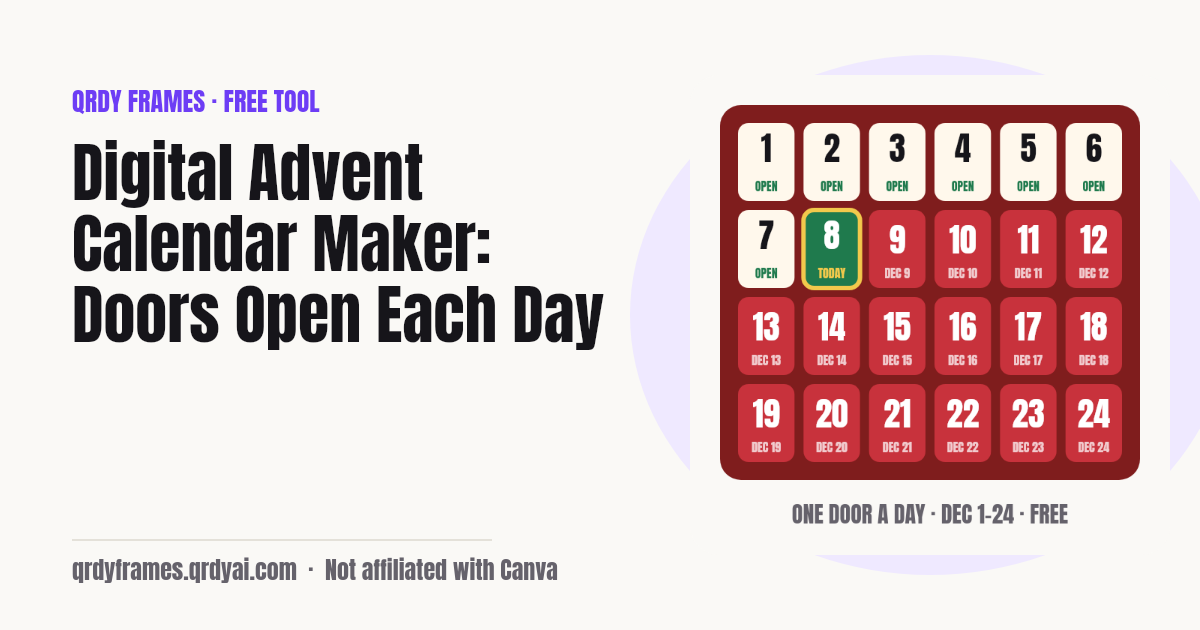
How the doors open on their day
Each door opens on its own date: door 1 on December 1, door 24 on December 24, by the date on the device of the person viewing the calendar. A calendar sent from New York therefore opens door 1 at midnight in Tokyo too, not at midnight New York time.
Doors from earlier days are already open, today's door opens with one tap, and later doors say when they open. Before December 1 the calendar shows a countdown. An open tab rolls over to the next day on its own at midnight, without a reload. After Christmas Eve every door stays open.
Opened doors are remembered on the viewer's phone or computer, so they stay open on the next visit. If the browser blocks storage, the calendar still works: doors simply open again by date.
Classroom advent calendar: projector and print
Projector view makes the grid fill the screen with large numbers, highlights today's door and opens it with one tap or click, so the class can read the day's kindness challenge together. It goes full screen where the browser allows it.
Print gives a sheet of 24 numbered doors and a separate sheet of the 24 messages to cut out and paste behind each door, or to read out. The paper size follows your browser's region (Letter in the US and Canada, A4 elsewhere) and can be switched by hand. Printing needs no PDF and no download.
Make a photo advent calendar
A photo advent calendar puts a photo inside each number from 1 to 24: a picture of the class, of a grandchild or of a favourite memory behind every door. Number photo frames make it easy: each digit is a frame you drop a photo into.
Preview number frames 1 to 24 with your own photo in 100 fonts, then make all 24 in a Canva design with Text to Frames, our Canva app, and print them or post one a day.
Your messages stay on your device
Nothing you type is uploaded: the title, the from line and the messages live in the page, in this browser's storage once you edit them, and inside the link after the #. There is no account and no database. Analytics only counts events such as which starter pack was picked or which door number was opened, never a word you wrote.
The date lock is a friendly lock, not a secret. Anyone who has the link holds the messages, and someone who changes the date on their device can open every door, so do not put anything secret behind a door.
Advent calendar maker FAQ
Is this advent calendar maker free?
Yes, completely: no account, no sign-up, no limit on calendars, and no ads in the link. It is one of the free tools made by the team behind Qrdy Frames.
Does the person I send it to need an account or an app?
No. They open the link in any browser, on a phone, a tablet or a computer. Nobody signs up, not you and not them.
Can my class peek at tomorrow's door early?
Not by tapping: a future door only says when it opens. But the lock is a friendly one, not a secret: the messages travel inside the link and the doors follow the device's date, so someone who changes the date on their device could open every door. Keep surprises fun, not confidential.
Does my text go to a server?
No. The calendar is built in your browser and travels only inside the link, after the #, which browsers never send to a server. The open page removes that part from the address bar before analytics loads. Analytics only counts events like the pack picked or the door number opened, never a message, title or name.
What time does each door open?
At midnight in the viewer's own time zone on December 1 to 24. A page left open rolls over to the next day by itself.
What if I open the link before December 1?
The calendar shows a countdown to December 1 and keeps every door closed. The maker can still check every message with Preview as maker on the tool page.
Will opened doors stay open?
Yes, on the same phone or computer: opened doors are remembered in the browser's storage. If storage is blocked (private mode), doors still open by date, they just are not remembered between visits.
Can I print the advent calendar?
Yes. Print gives a page of 24 numbered doors and a separate message sheet to cut and paste behind each door, on A4 or Letter from your browser's region, with a toggle.
Can I change the messages after I send the link?
The link holds the calendar as it was when you made it. Edit the doors and send the new link; your draft is kept in this browser so you can come back to it.
More free tools for Christmas
Every tool on this site runs in the browser: nothing you paste, type or upload is sent anywhere.
- Secret Santa Generator draw names for the gift exchange, one secret link each
- Christmas Ornament Photo Maker a photo inside an ornament, transparent PNG
- 2027 Calendar printable calendar for next year
- Bingo Card Generator Christmas bingo cards for the class party
- Classroom Timer time the daily advent moment
- Sticker Chart Maker a Christmas Nice List chart with your child's photo
- Christmas List Maker a wish list and letter to Santa with your child's photo
- Photo Countdown Maker days, hours and seconds to Christmas or New Year with your photo in the number
- All free tools
About this site
Qrdy Frames previews custom photo frames for Canva designs; the free tools are a side project of the same team. See also the Christmas frames. Not affiliated with Canva.