Lorem Ipsum Generator
Free dummy text by paragraphs, sentences, words or an exact character count, filler sized to each block of a real page, and placeholder images at any size.
Advanced: case, HTML list, copy as plain or HTML, presets
Blog post: 5 paragraphs
Product description: 40 words
Nothing leaves your device. The dummy text is generated in this browser from a built-in word list, placeholder images are drawn on a canvas on your device, and your settings, presets and any label you type on an image are kept in local storage only. No text, label, preset or project name is ever sent to a server or into analytics. The URL carries only the tab; a content brief link carries its blocks only after #, which browsers never send to a server.
How to generate lorem ipsum
Pick an amount and a unit, set the options, copy: three steps, no sign-up, and three paragraphs of dummy text are already on screen when the page opens.
- Choose how much text you need: type a number and pick Paragraphs, Sentences, Words or Characters (up to 50 paragraphs, 200 sentences, 2,000 words or 20,000 characters). The text updates as you change the amount; three paragraphs are already on screen when the page opens.
- Set the options: keep the classic "Lorem ipsum dolor sit amet" opening or start with random words, turn on Wrap in <p> tags for HTML, and pick a case or a <ul> list under Advanced. Press Generate again (or Space) for a different roll with the same settings.
- Press Copy (or C): the whole output goes to your clipboard and a toast confirms it with the word count. For a placeholder image, open the Image tab, pick a size, colours and label, and press Download for a PNG, JPG or WebP at the exact pixel size.
What is lorem ipsum?
Lorem ipsum is scrambled Latin filler text that designers use to stand in for real copy, so a layout can be judged on its own before the words exist. It starts "Lorem ipsum dolor sit amet, consectetur adipiscing elit" and is based on a passage from "de Finibus Bonorum et Malorum" (On the Ends of Good and Evil), written by Cicero in 45 BC; a typesetter cut and reshuffled the words centuries ago, and Letraset transfer sheets in the 1960s made that version the standard, followed by desktop publishing software in the 1980s.
Designers use dummy text because it looks like language without reading like one: the word lengths and sentence rhythm are close to English, so columns, line heights and type sizes look right, while nobody stops to read the meaning. This generator builds its text from that classic vocabulary (about 200 Latin words): sentences of 6–16 words with a comma now and then, paragraphs of 3–7 sentences, a capital letter at the start and a period at the end.
Looking for a dummy text generator by another name? /tools/dummy-text-generator opens this page; /tools/placeholder-image-generator opens it on the Image tab.
Placeholder image generator
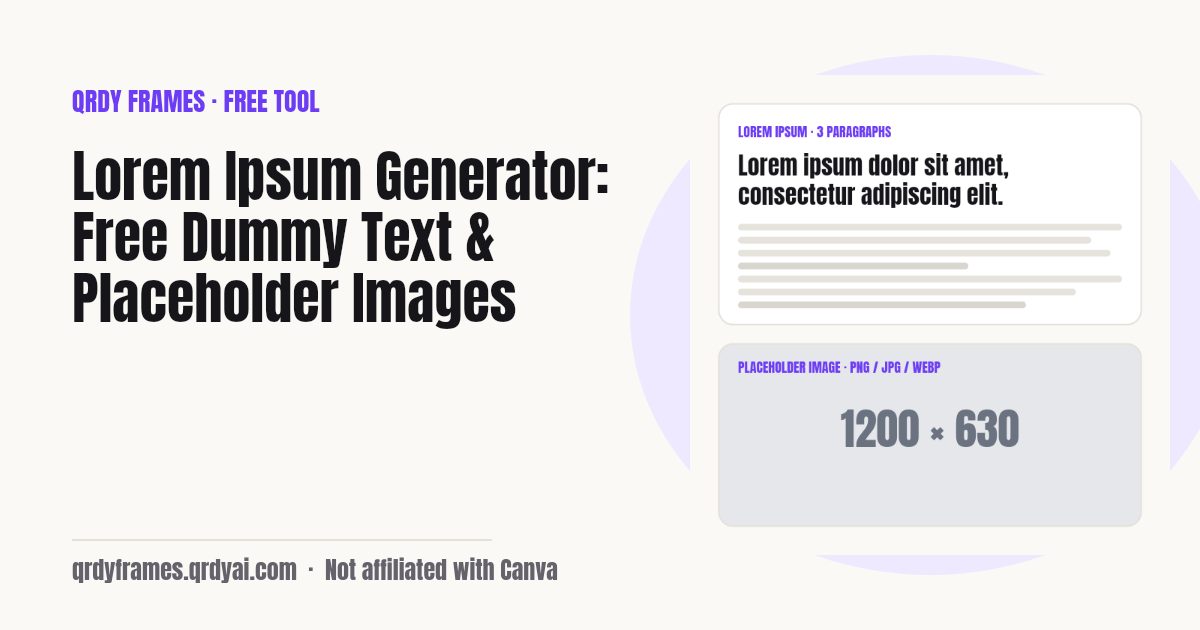
A placeholder image is a plain rectangle at the exact pixel size of the picture that will go there later, so a layout, a slide or an ad slot can be built and tested before the real asset exists. The Image tab makes one in your browser: 1920x1080 (full hd slide, video thumbnail), 1280x720 (hd slide, small video), 1080x1080 (square social post), 1080x1350 (portrait social post), 1080x1920 (story, vertical video), 1200x630 (open graph link preview), 300x250 (medium rectangle ad), 728x90 (leaderboard ad), 160x600 (wide skyscraper ad), or any custom size from 1 to 4,000 px per side up to 16 megapixels. Set the background and text colours, keep the default "{width} × {height}" label or type your own, and download a PNG, JPG, WebP; the file is always the real size, the preview on screen is only scaled to fit.
The size set is for people who export the same set of sizes every week: tick several presets (and your custom size), press Download all, and the tool saves one file per size, one after another, named placeholder-1920x1080.png and so on. Save the set as a preset ("Campaign sizes") and it is one tap next time. No ZIP is built and no image is uploaded; everything is drawn on a canvas on your device.
Placeholders inside a Canva design work differently: there, the slot a photo drops into is a frame. Image to Frame turns any shape or PNG into one, so a mock-up becomes a template: open Image to Frame in Canva. Need a round photo instead of a grey box? The circle crop image crops a real picture into a circle, in the browser like this page.
Lorem ipsum vs real copy
Swap lorem ipsum for real words as soon as the layout is agreed, because dummy text hides the problems real copy brings: headlines that are twice as long, a product name that will not break across lines, a price that needs a wider column, a translation that grows by a third. Filler text is right for the first pass, when you are choosing a grid, a type scale and image sizes and the content is not written yet.
A good middle step is realistic draft copy in the right length: use the Words or Characters unit to match the limit of the field (a 160-character meta description, a 40-word product blurb) so the design is tested against the real constraint, then replace it with the final text before anyone reviews the page. Never ship lorem ipsum: search engines index it, screen readers read it aloud, and it is the most common leftover in published templates.
Mocking up a sign-up form or a QR poster at the same time? The password generator gives realistic sample passwords and the bulk qr code generator makes one QR code per row of a list, both without uploading anything.
Content briefs: get the real copy from your client
A content brief link lets your client write the real words straight into the blocks of the page you designed, so the project does not stall waiting for copy. Open the Page kit tab, pick a template (Landing page, Small-business home, About, Services or Product page) and every block gets filler at a length inside its word budget: a 5–9 word hero headline, 20–30 words per service card, 30–50 words per FAQ answer. Copy all pastes it into your mock-up as labelled text, Markdown, HTML or one line per block, and Download images saves one placeholder per image slot (hero-1600x900.png and so on).
Send brief to client turns the same blocks into one link. Your client opens it on any phone, sees each block with its label, "Aim for 20–30 words" and a meter that says too short, good or too long, and types; the draft is kept in their browser, so they can come back over several days. Send my copy back gives them a link for you: open it and the copy lands in the matching project, block by block, ready for Copy all. Nothing is uploaded: the project name, the blocks and the client's words travel only in the link after #, which browsers never send to a server.
Open it straight from here: Page kit tab. Building the same pages in Canva? Turn each photo slot into a frame with Image to Frame, so the client's photos drop straight in.
Is anything I type uploaded?
No: the tool is entirely client-side. The text is generated in your browser from a built-in word list, placeholder images are drawn on a canvas on your device and downloaded straight from it, and there is no image API. Your settings and presets live in this browser's local storage under one key (qrdy.lorem.v1); the analytics record only settings and counts (unit, amount as a range, format, a preset size or "custom"), never the generated text, the label you typed on an image or a preset name. If your browser blocks storage, the tool still works and tells you that presets will not be kept.
Lorem ipsum generator FAQ
Is the lorem ipsum generator free?
Yes, completely: no account, no sign-up, no limit on how much text you generate or how many placeholder images you download, and no watermark. It is one of the free tools made by the team behind Qrdy Frames.
What does lorem ipsum mean?
Nothing readable: it is scrambled Latin. The words come from a passage of Cicero's "de Finibus Bonorum et Malorum" (45 BC) in which "dolorem ipsum" means "pain itself"; a typesetter cut the passage up, and the jumbled version became the standard filler text through Letraset sheets in the 1960s and page-layout software in the 1980s. Because it is not real language, readers do not get distracted by the content and judge the layout instead.
Can I get an exact number of words or characters?
Yes. Pick Words and type 50 to get exactly 50 words, or Characters and type 200 for text of exactly 200 characters. Character counts always end on a whole word with a period: the text is cut at the last word that fits and the gap is closed with a word of the exact missing length from the same vocabulary, so there is never a half word. Limits: 2,000 words or 20,000 characters per generation.
Can I get HTML with <p> tags?
Yes. Turn on Wrap in <p> tags and each paragraph is wrapped in <p>…</p>, shown as HTML text you can paste into a template or a CMS; Copy as HTML copies the markup and Copy as plain copies the words only. Under Advanced you can also output a <ul> list with one <li> per sentence, for menus and feature lists.
What is a dummy text generator?
A dummy text generator makes filler text at a chosen length so a layout can be designed before the real copy exists; a lorem ipsum generator is the same thing using the classic Latin passage. This one gives paragraphs, sentences, words or an exact character count, with four cases (normal, UPPERCASE, Title Case, lowercase) and an optional HTML wrapper, and it runs in your browser.
How do I make a placeholder image?
Open the Image tab, tap a size (1920x1080, 1280x720, 1080x1080, 1080x1350…) or type a width and height up to 4,000 px, pick a background and text colour, keep or edit the label (the default "{width} × {height}" fills in the size automatically), choose PNG, JPG or WebP and press Download. The file is drawn on a canvas in your browser at the exact pixel size; the preview is scaled to fit your screen.
Which image formats can I download?
PNG, JPG, WebP. PNG is lossless and the best default for flat colours; JPG is smaller for photos and mock-ups that will be compressed anyway; WebP is the smallest of the three in modern browsers. If your browser cannot encode WebP (older Safari), the tool says so and saves a PNG instead.
Can I download several sizes at once?
Yes: under Size set, tick the presets or custom sizes you need and press Download all. One file is saved per size, one after another (the browser may ask once to allow multiple downloads), with names like placeholder-1920x1080.png. Up to 20 sizes per set; the set is saved with an image preset so it is one tap next time.
Can I save my settings?
Yes, two ways. Your last settings (amount, unit, toggles, image size, colours, format and size set) are restored on the next visit automatically. Presets save a named snapshot of the Text or Image settings, such as "Product description: 40 words" or "Social cover: 1200x630"; apply one with a tap, rename or delete it, up to 30. Three presets ship with the page and can be deleted. Everything is kept in this browser's local storage only.
Can my client fill in the copy without an account?
Yes. Send brief to client gives you one link; your client opens it in any browser, phone or desktop, and types the copy into each block, with the word budget and a too short / good / too long meter next to it. There is no sign-up and nothing to install. Their draft is saved in their own browser as they type, so they can close the page and finish another day; Send my copy back then gives them a link to send you.
Is my client's text uploaded?
No. The brief and the reply live only in the link after #, the URL fragment, which browsers never send to a server; the page reads it in the browser and removes it from the address bar before analytics loads. The client's draft is kept in their browser's local storage, and your projects in yours. The analytics record only the template and button names, never a project name, a block label, the filler or the client's words.
Is anything I type uploaded?
No. The text is generated from a built-in word list in your browser, images are drawn on a canvas on your device, and your settings, presets and any label you type on an image stay in local storage on this device. The analytics record only settings and counts, never your text or preset names. Clearing site data removes everything.
More free tools
Every tool on this site runs in the browser: nothing you paste, type or upload is sent anywhere.
- Random Color Generator random colors and palettes, a palette from any photo
- Font Pairing Google font pairs with a live preview of your text
- Password Generator strong passwords, passphrases and PINs
- Bulk QR Code Generator one QR code per row of a list or sheet
- Bingo Card Generator printable bingo cards, a caller and a winner check
- Classroom Timer countdown with presets, chains and a Pomodoro mode
- Random Team Generator split names into fair random teams
- Yes or No Wheel spin for a yes or no, with history
- Random Letter Generator random letters, a letter wheel, random words
- Christmas Ornament Photo Maker
- Circle Crop Image
- Heart Photo Frame
- All free tools
About this site
Qrdy Frames previews custom photo frames for Canva designs; the free tools are a side project of the same team, which also makes Image to Frame. Not affiliated with Canva.